
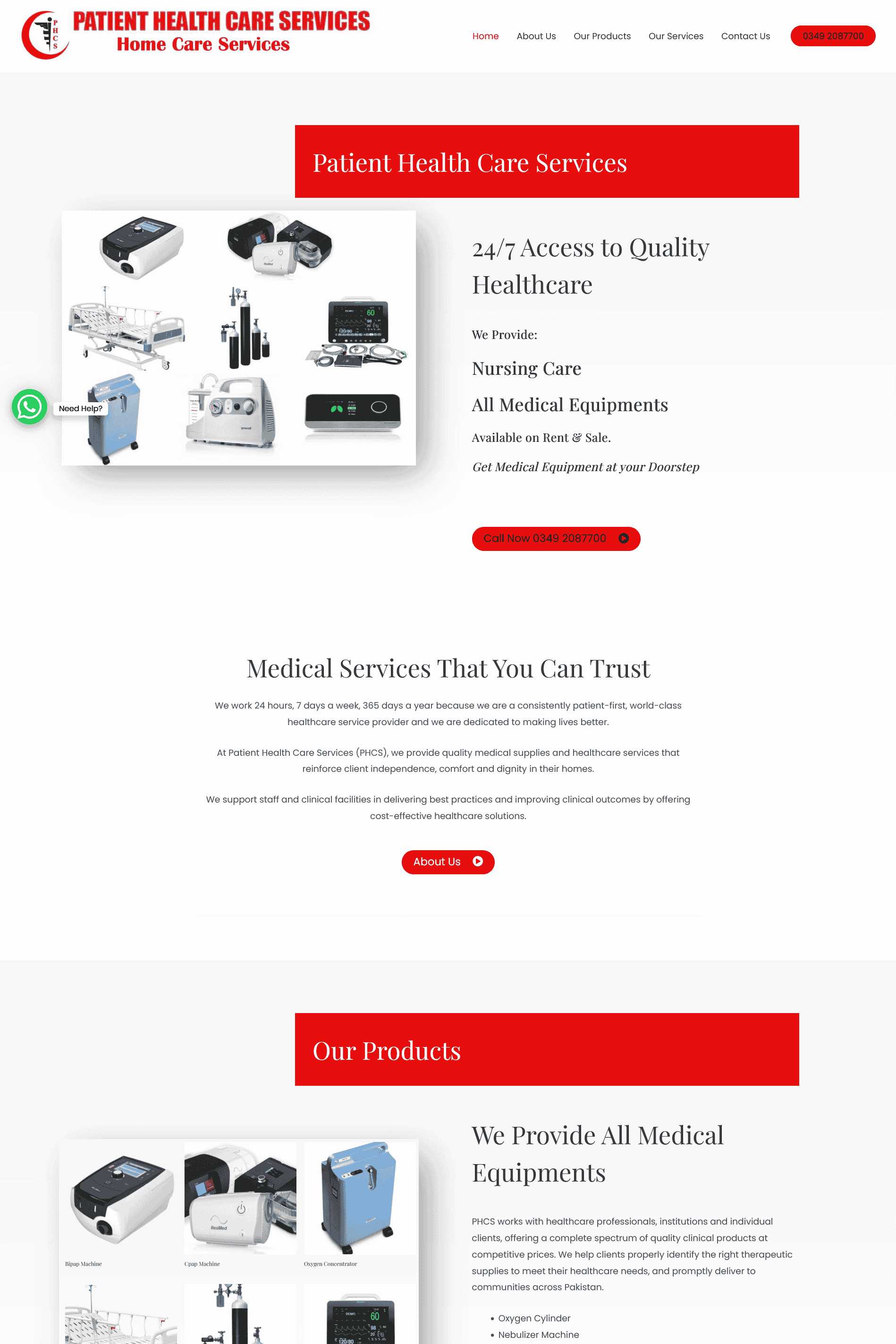
Patient Healthcare Services (PHCS) offers 24/7 home healthcare, medical equipment rental, and ambulance support in Pakistan. The people who land on patienthealthcareservices.com are often not browsing. They are a son, daughter, or spouse trying to get a nurse or a bed to a house today. Our job was to make the next action obvious: call or WhatsApp, then a short explanation of what the service actually is.
What was wrong with a “normal” clinic template
Healthcare templates love hero sliders, stock photos of smiling doctors, and six equal service tiles. That layout asks a panicked visitor to decorate-shop. PHCS also needed the clinic to change hours and offers without waiting on a developer. WordPress was the right CMS for that — the design had to stay simple enough that a content editor cannot break the tap-to-call path.
Information architecture we shipped
Navigation is short: services, equipment, contact. Each service page answers who comes, roughly how the booking works, and how to reach someone now. Phone and WhatsApp repeat on key screens. We did not hide contact behind a form-only page. Forms still exist for non-urgent equipment questions; emergencies should never depend on a CAPTCHA.
Type, contrast, and mobile networks
We used larger type and less visual noise so the site works on a mid-range Android phone on a typical mobile connection. Decorative animation was cut. Images that do not explain a service were cut. Speed here is not a vanity Core Web Vitals score — it is whether the page is usable before the person gives up and Googles a competitor.
Trust without fake testimonials
Trust on this site is operational: hours, service list, a real number, a real WhatsApp. We did not invent patient stories. If the clinic publishes staff credentials or coverage areas, those belong on the relevant service page, not in a generic “About” wall of text.
Content the clinic can change without us
Service descriptions, phone numbers, coverage notes, and equipment lists live in WordPress fields staff already understand. We avoided page builders that hide the call button behind five nested rows. If a nurse coverage area expands tomorrow, the page should update tomorrow — not after a ticket queue.
What we deliberately left out
- Auto-playing video in the hero (slow on mobile data; blocks the call action).
- Long “Our Vision” essays above the first service CTA.
- Fake review widgets with invented patient quotes.
Post-launch checks we ran
Tap-to-call and WhatsApp deep links on iOS and Android, form spam filtering without blocking urgent equipment enquiries, and a pass for readable contrast on outdoor phone brightness. Healthcare sites fail quietly when a number is wrong or a button is too small — we verified those before calling the project done.
Outcome
The live site is a patient-first brochure that behaves like a hotline. Staff can update copy in WordPress. Families can tap through without decoding a corporate homepage. That is the brief we measured against.
If you run a clinic or home-care service
Bring your real intake path (phone vs WhatsApp vs form) and which services are urgent vs scheduled. We wrote more on scannable pages in the UX guide. Send a quote request with your current URL.
QA checklist we used before go-live
- Every primary screen has a working tap-to-call and WhatsApp path on iOS and Android.
- Service pages answer who arrives, what happens next, and how to reach someone now.
- Non-urgent equipment forms still work without trapping emergency callers behind a long form.
- Staff can edit phone numbers and service copy in WordPress without breaking layout.
- Contrast and type size remain readable outdoors on a bright phone screen.
Why healthcare templates fail quality reviews
Thin clinic templates look identical: stock smile photos, six equal tiles, no real intake path. Patients and reviewers both bounce. This write-up documents fewer decorations and more operational clarity — the same standard we use on our public guides.